

Subscription
Plans by project type, ordering a subscription and billing documents. You can find the prices in the application on the Subscription page.
What the subscription determines
- The subscription belongs to the company and applies to everyone in the company. There is no charge per person.
- The plan determines which project types the company creates: flat roofs (including halls), pitched roofs or a combination of them. FredIQ Complete includes all types.
- Facades are a separate project type. The price list offers them on their own and in combinations.
- Every plan includes all features of its project types and an unlimited number of projects.
- You can find the prices on the Subscription page and on the FredIQ home page.
The Subscription page
Click your name at the top right and choose Subscription. On the page you will find:
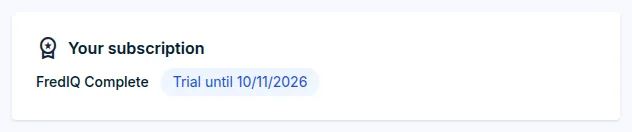
Your subscription: the plan and its status, for exampleTrial,ActiveorAwaiting payment, and the date until which it is valid.Pricingwith anOrderbutton for each plan.Billing details: whether they are filled in, and theEdit in profilebutton.Documents: issued proforma invoices, invoices and credit notes.
Ordering a subscription
- First fill in your billing details. Without them, we cannot issue an invoice to you.
- In the
Pricingsection, choose the period:MonthlyorAnnually. - Click
Orderfor the plan. - In the
Order subscriptionwindow, you can add aNote (optional), for example a billing contact. - Tick the consent “I am ordering for my business or professional activity and I agree to the Terms of Service.”
- Click
Send request.
The order is a request, not an immediate subscription:
- We send you a proforma invoice by e-mail.
- Once it is paid, we activate the subscription and send you an e-mail.
- Until then, neither your current subscription nor your trial changes.
- If your trial is running, paying does not shorten it. The subscription starts when the trial ends.
Order status
- A sent request is shown on the Subscription page in the
Your requestsection. You cancel it with theWithdraw requestbutton. - Only one request can be open. A new order replaces it, for example when you change your mind about the plan.
- The result, that is activation or rejection with a reason, is shown on the page for another 30 days in the
Your latest requestsection.
Documents
- A document to be paid has a
View and paybutton and aPDFto download. - Have you paid and the subscription is not running yet? Click
I have paid, check. - Only the company owner sees the documents.
Who orders the subscription
- Only the company owner orders the subscription. A company member sees “The subscription is requested by the company owner.” on the Subscription page.
- The owner can take away project types that a member may create. More in the Your company and its people guide.
- Material manufacturers have their own plans. The owner of a manufacturer company finds them on the Subscription page in the
FredIQ for manufacturerssection and requests them with theRequest an offerbutton. More in the Manufacturer portal guide.
Updated