

Billing details
Company details on subscription documents and on the cover page of the protocol. Where to fill them in, what is required and who manages them in the company.
Who manages the details
- The billing details belong to the company. Subscription documents are issued to the company, never to an individual person.
- Only the company owner changes the details. The owner also receives the subscription documents.
- A company member sees in their profile only a sentence saying that the billing details are managed by the company owner.
Filling in the details
- Click your name at the top right and choose
Profile. TheEdit in profilebutton on the Subscription page takes you there too. - In the
Billing detailssection, fill in the company details. - Click
Save changes.
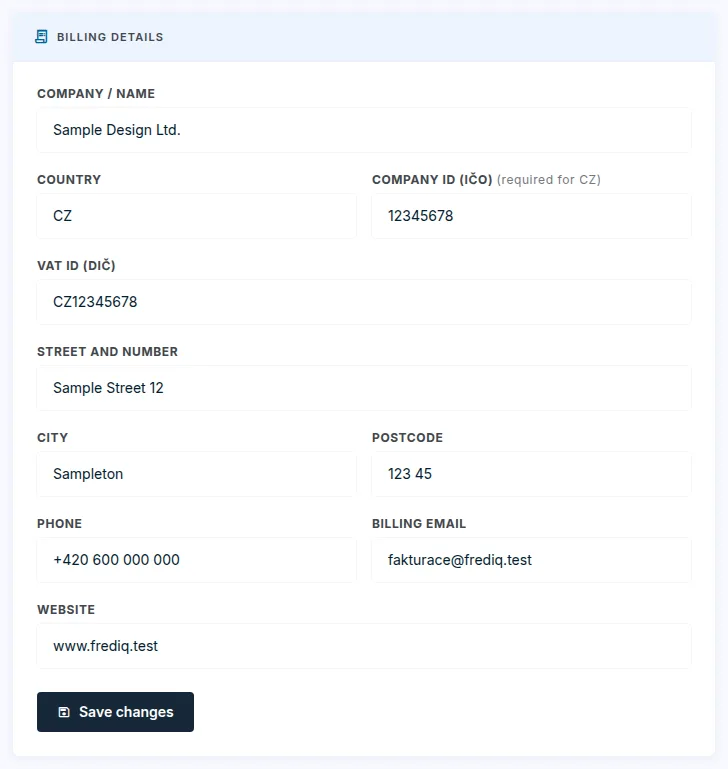
Company / name,Country,Street and number,CityandPostcodeare required.Company ID (IČO)is required for the Czech Republic and has 8 digits.VAT ID (DIČ),Phone,Billing emailandWebsiteare optional.- Without a
Billing email, the company owner's sign-in e-mail is used.
Fill them in before you order a subscription. Without them, we cannot issue a proforma invoice to you. The Subscription page shows whether the details are complete, in the Billing details section.
Where the details are used
- On subscription documents: proforma invoice, invoice and credit note.
- On the cover page of the protocol, for the company that prepared it: name, address, company ID and VAT ID, phone, e-mail and website. Empty details are not printed. Next to them is the company logo, see Profile, password and language.
- The company details apply to the protocols of everyone in the company.
Changing the details
- The change applies to future documents and newly created protocols.
- Documents already issued do not change.
Updated