

DXF export
The flat roof design as a DXF drawing for your CAD program. Three drawing variants, coordinates on the source drawing or standalone in millimetres, and what the drawing contains.
Where to download the DXF
- In the project cockpit, open the
Protocolstab. - In the
Documents for supplierspart, choose the roof. - In the
Thermal insulation and slope wedgescard, find theDXF for CADblock. - Click a drawing variant. The file is downloaded.
- The export is only available for a flat roof, including a hall.
- Neither a pitched roof nor a facade has it.
- The drawing is always of one roof, the one selected in the switch.
Three variants
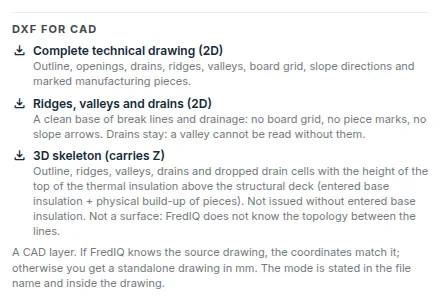
Complete technical drawing (2D): outline, openings, drains, ridges, valleys, board grid, slope directions, marked production pieces and the substrate board plan.Ridges, valleys and drains (2D): a clean base of break lines and drainage, without the board grid, piece marks and slope arrows.3D skeleton (carries Z): outline, ridges, valleys and drains with height.
Every layer of the drawing has a name starting with FREDIQ_, so you can easily switch it off in your CAD program.
Coordinates: on the source drawing or standalone
- On the source drawing: if the roof was created by importing your DXF drawing and since the import you have not changed the scale or the inputs the export is based on. Insert the drawing at point 0,0 at scale 1 without rotation. It fits exactly onto the source drawing.
- Standalone drawing in millimetres: in all other cases, with the origin at 0,0.
Which mode you got is stated in the file name (ending “wcs” for the source drawing, “local” for standalone) and inside the drawing in the layer with the export information. The application never guesses the position on the source drawing. If the conditions are not met, it gives a standalone drawing and says why in the drawing.
How to take over a roof from a drawing is described in the guide Importing a DXF drawing.
What the drawing contains and what it does not
- Only valid results are drawn. An outdated slope design does not get into the drawing, and the information layer says why. Recalculate the slope design and download the DXF again.
- The export is not possible without a roof scale. The lengths would be made up.
- The information layer carries the status of the wedge design: ready for construction, or design needs further work with short reasons.
- The drawing does not include the client's details, the site address or contacts. The information layer contains only the project and roof identification, the geometry fingerprint and the export time.
- Your source drawing is not overwritten. The export is always a new file.
The 3D skeleton and its height
- The height Z is the height of the top surface of the thermal insulation above the structural deck: the entered base insulation plus the build-up of the tapered pieces. It is not the altitude above sea level or the height of the building.
- Without an entered base insulation thickness, the 3D skeleton is not issued. The 2D variants are available anyway.
- The 3D skeleton consists of lines, not a surface. The application does not calculate the shape of the surface between the lines.
FredIQ is not a general CAD program. The export is a layer for your drawing; you continue to prepare the drawing documentation in your own program.
Updated