

Bills of materials and CSV exports
The bill of materials for the project and CSV files for ordering. Where to find them, how to read the bill and why it contains no prices.
Bill of materials for the project
The bill of materials is a quick overview of quantities for budgeting and purchasing, for one roof or for the whole project.
- In the project cockpit, open the
Protocolstab. - At the bottom, in the
Bills of quantitiessection, find theBill of materialscard. - Choose the
Grouping:By material,By rooforTotal. - For a project with several roofs, select which roofs belong in the bill.
Select allreturns the whole project. - Click
Open preview,Print / save PDForCSV.
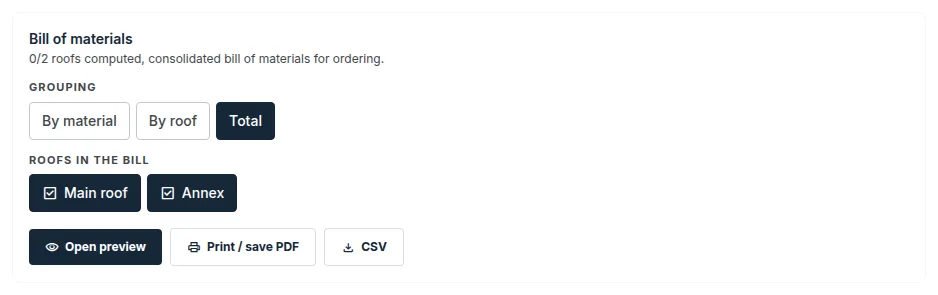
By material: rows summed across the selected roofs, divided by trade (insulation and wedges, waterproofing, anchoring, drainage, sheet-metal items and others).By roof: a separate block for each roof.Total: previews and a table of the roofs, totals by trade and a list of incomplete and unverified parts.
Archived roofs are not offered in the bill. The bill is not released as a revision.
How to read the bill
- The bill only adds up the calculated quantities of the roofs. It does not recalculate anything from the geometry.
- Each row has a status: “OK”, “Preliminary”, “Unverified” or “Data missing”.
- An unknown value is not added up and is never counted as zero. The row then names the roofs that lack the value.
- Informative quantities are not quantities to order.
- For anchors, the clamping lengths are given. The component lengths (telescope, screw) are determined by the anchor manufacturer.
- A row from a result that does not match the current roof either does not state the numbers or marks them as unverified. Recalculate whatever the application marks as out of date and open the bill again.
Bills of materials and schedules in FredIQ are a basis for ordering. They contain no prices, and they never will.
CSV files by trade
In the Documents for suppliers section, each card has its own files for ordering:
Thermal insulation and slope wedges:Overview for ordering and quotation (CSV)andCut list and order (CSV).- A roof with crickets at obstacles also has the cricket height templates (CSV) on the same card.
Anchoring:Overview for ordering and quotation (CSV)andAnchoring plan (CSV).Fall protection systemandGreen roof:Overview for ordering and quotation (CSV).Pitched roof:Bill of materials (CSV)andSheet cut list (CSV).Facade:Cutting plan (CSV).
Which file is offered when is described in the Documents for suppliers guide.
Pitched roof bill of materials directly with the covering
For a pitched roof, you can also download the bill of materials in the Takeoff and bill of materials window of the Covering module: the Download bill of materials (CSV) button. It contains the covering, the battens and the sheet-metal work for ordering.
- The bill of materials cannot be downloaded if the takeoff does not match the latest change of the roof, or if the covering has changed in the catalogue and is waiting for your confirmation. The application tells you what to do.
- The sheet cut list, the piece drawings and the batten drawing are downloaded separately in their own parts of the takeoff.
More in the Covering and sheet-metal schedule guide.
Good to know
- Open the CSV files in Excel or another spreadsheet program.
- The bill of materials is an internal document of the designer, and its title page also shows the client. Send suppliers the documents for suppliers, which do not carry the client’s details.
Updated